



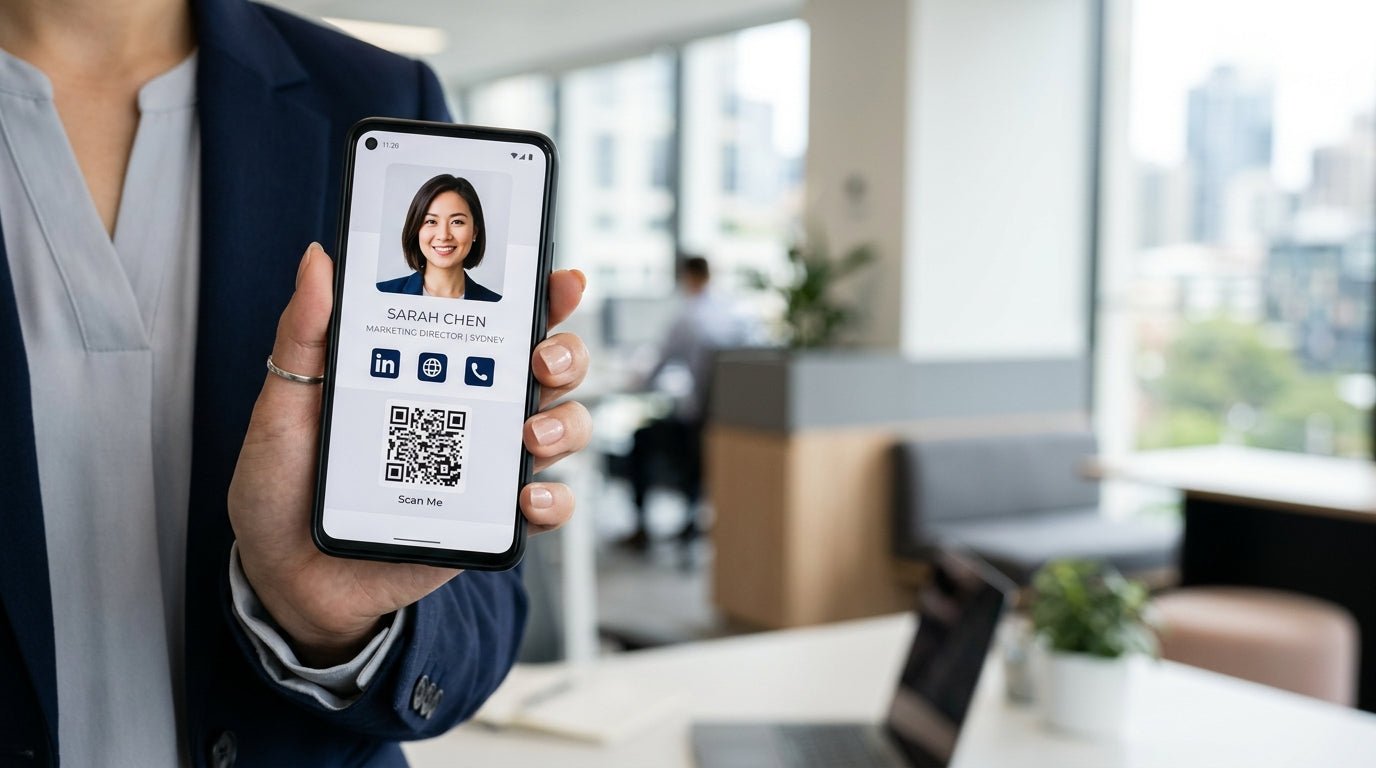

How do I create a digital business card QR code for free?
To create a digital business card QR code for free in Australia, you can use a virtual business card platform or a dedicated QR code generator. Simply input your contact details—including your name, phone number, email, and LinkedIn profile—into the tool. Once your information is organised, the platform will generate a unique QR code. You can then download this code as an image to display on your phone's lock screen, print on marketing materials, or add to your email signature. While free versions offer basic functionality, many Australian professionals eventually upgrade to a digital business card Australia-wide service like Smart Tap for more robust features and professional NFC integration.
Are digital business cards worth it?
In the fast-paced Australian business landscape, the shift toward digital solutions is undeniable. If you have ever found yourself at a networking event in Sydney or a tech meetup in Melbourne only to realise you have run out of paper cards, you already know the answer. An electronic business card is worth it because it ensures you are always ready to connect. Unlike traditional paper cards, which are often lost or thrown away within a week, a virtual business card lives directly in your contact's smartphone. It is a sustainable, cost-effective, and modern way to represent your brand while reducing your environmental footprint—a priority for many eco-conscious Australian businesses.
How do digital business cards work?
A digital business card works by using either QR code technology or Near Field Communication (NFC). When someone scans your QR code with their smartphone camera or taps their phone against an NFC card, a link opens in their mobile browser. This link leads to a personalised profile page containing all your professional information. From there, the recipient can tap a single button to save your details directly into their phone’s address book. This "tap to share" functionality eliminates manual data entry, reducing the friction usually associated with networking. Smart Tap specialises in this technology, providing high-quality contactless card options that make the exchange of information seamless and professional.
What is the best digital business card?
The best digital business card Australia has to offer is one that combines ease of use with a professional aesthetic. While free QR generators are a great starting point, the most effective solution for serious professionals is a hybrid approach. This involves a custom-branded profile paired with a physical NFC card. Smart Tap is widely considered a top choice because it offers Australian professionals a sleek, durable physical card that works alongside a powerful digital profile. The best platform should allow you to update your information in real-time, track how many times your card has been scanned, and integrate with your existing CRM or social media profiles.
Step-by-Step Guide to Making Your Free QR Code
If you are looking to get started today without spending a cent, follow these steps to create your first electronic business card:
- Choose a Platform: Select a reputable free QR code generator or a digital card app that offers a free tier.
- Enter Your Details: Input your full name, job title, company, and contact methods. Don't forget to add a professional headshot to make your virtual business card more memorable.
- Customise the Design: Many tools allow you to change the colour of the QR code or add a small logo in the centre.
- Generate and Test: Click the generate button and test the code with your own phone to ensure it links to the correct information.
- Save to Your Wallet: Save the QR code image to your Apple or Google Wallet for easy access during meetings.
Transitioning from Free QR to Professional NFC
While a free QR code is a fantastic entry point, it does have limitations. Relying solely on a digital image on your phone screen can sometimes feel a bit clunky in high-stakes environments. This is where Smart Tap comes in. By upgrading to a physical NFC card, you get the best of both worlds: the tactile feel of a high-end business card and the futuristic power of a contactless card. Simply tapping your Smart Tap card against a client's phone creates an instant "wow" factor that a simple QR code scan often lacks.
How do I share my digital business card on iPhone or Android?
Sharing your digital business card on modern smartphones is incredibly simple. For iPhone users, you can add your QR code to your Apple Wallet or use a widget on your home screen. Android users can similarly use Google Wallet or save the QR image to their gallery for quick access. However, the most impressive way to share is via an NFC card. Because most modern smartphones have NFC readers built-in (the same technology used for Apple Pay and Google Pay), you simply need to bring your Smart Tap card near the top of an iPhone or the centre of an Android device. No apps, no cameras, and no friction—just an instant connection.
Why Australian Professionals are Switching to Smart Tap
The Australian business community values efficiency and innovation. From Brisbane to Perth, professionals are moving away from the "print-use-discard" cycle of paper cards. Smart Tap provides a local solution that understands the needs of the Aussie market. Whether you are a real estate agent wanting to share property listings instantly or a corporate executive looking to streamline your team's networking, a digital business card Australia-wide service provides the analytics and professional edge required to stay ahead.
Ready to Upgrade Your Networking Game?
While a free QR code is a great first step, your brand deserves a professional finish. Why settle for a basic image when you can have a premium, custom-branded NFC card that lasts a lifetime? Join thousands of Australian professionals who have already made the switch to a smarter way of connecting.
Explore our range of premium digital business cards and start tapping today:
Share:
Digital Business Card Australia: Is Making One for Free Worth It?
Digital Business Card Design: Tips to Convert More Australian Clients